Introduction: The Evaporation of Legacy IDE Value
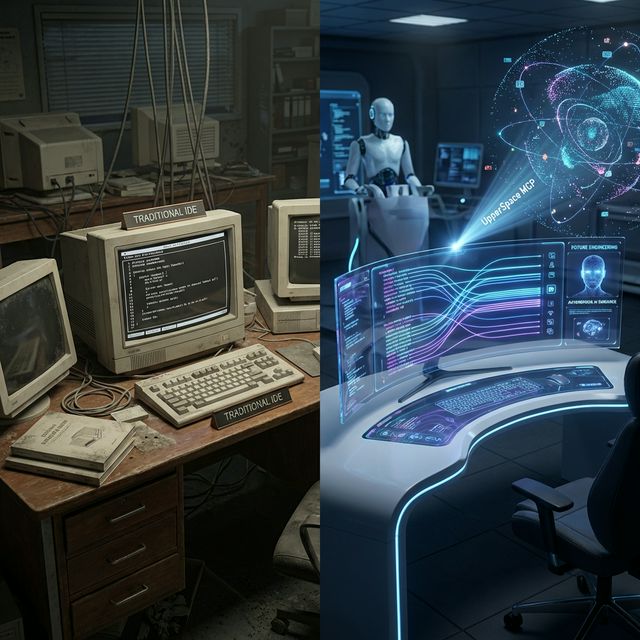
The era of measuring the power of an Integrated Development Environment (IDE) by its syntax highlighting responsiveness, the breadth of its native debugging tools, or the aesthetics of a dark mode theme is officially over. For nearly two decades, developers debated the merits of Eclipse versus IntelliJ, or Vim against Visual Studio Code. These were battles over ergonomics and specialized human workflows. Today, those debates feel archaic—similar to arguing over the best brand of buggy whip just as the Model T rolled off the assembly line.
In the late 2020s age of High Velocity Engineering, the singular, defining metric of an IDE is its foundational capacity to integrate with, guide, and constrain autonomous AI agents. The developer is no longer a localized typist manually tapping out structural code character by character. Instead, the developer is an orchestrator, and the IDE must act as the control room connecting human intent to vast, multi-agent execution engines capable of outputting thousands of lines of structurally sound code simultaneously.
But as the internet discourse, countless developer reviews, and harsh enterprise critiques have definitively shown: Not all IDEs are created equal. The shift from "text editors with AI plugins" to "agentic coding environments" has created a massive schism in the developer tools landscape.
Deep Dive: The Great IDE Fracture of 2024-2025
To understand why UpperSpace MCP is revolutionary, we must look critically at the feedback loops, complaints, and praise dominating the developer communities (Reddit, Hacker News, Dev.to) concerning the big three AI IDE solutions defining the market today: GitHub Copilot, Cursor, and Windsurf.
This period of fast iteration has moved AI coding assistants from being viewed as experimental "nice-to-haves" to being considered absolute baseline requirements for modern software production. However, moving from an experimental toy to a mission-critical tool has exposed massive structural flaws and conflicting philosophies regarding how human-AI interaction should be designed.
1. GitHub Copilot: The Incumbent’s "Skill Rust" Dilemma
Backed by Microsoft, GitHub, and OpenAI, GitHub Copilot holds the distinction of being the first major AI assistant to gain mass adoption. Originally functioning purely as an autocomplete plugin integrated into existing IDEs (like VS Code or JetBrains), it remains a powerful tool for individual, line-by-line coding assistance.
The Market Feedback and Pros: Copilot is the de-facto standard for enterprise teams already locked into the Microsoft ecosystem. Studies and user feedback throughout 2024 showed massive productivity gains for tasks like documenting code, generating boilerplate, writing localized unit tests, and rapid prototyping. It is the "Google Autocomplete" of coding—omnipresent, generally helpful for the next few lines, and non-intrusive. The introduction of Copilot Chat and PR summary tools helped validate its position as a solid companion tool.
The Critiques and Core Weaknesses: The most significant critique leveled against Copilot is its architectural blindness and the psychological impact known as "Skill Rust." Because Copilot lives primarily inside a single file's context window—acting as a plugin rather than an environment—it frequently fails when asked to refactor or generate code that spans multiple, deeply-coupled services. Reviewers consistently complain about Copilot "hallucinating" undefined methods, ignoring the overarching design patterns of a massive monorepo, and offering suggestions that compile locally but break the deployment build.
Furthermore, the reliance on an autocomplete paradigm has led to reports of junior developers losing their fundamental problem-solving skills—mindlessly hitting "Tab" without understanding the underlying logic. The internet discourse often refers to it as "Stack Overflow turned into a slot machine," where you keep spinning until it outputs something that works, rather than engineering a deterministic outcome.
2. Cursor: The "AI-Native" Powerhouse with a Steep Curve
If Copilot is an AI plugin strapped to a human IDE, Cursor is a human editor strapped to an AI engine. Built as a direct fork of Visual Studio Code, Cursor completely reimagined the UI/UX around AI-first workflows.
The Market Feedback and Pros: Developers across internet forums frequently crown Cursor as providing "the best developer experience." The core of its popularity lies in its native understanding of the entire codebase, not just the active file. Utilizing its "Cmd+K" inline editing and the revolutionary "Composer" feature, developers can issue a natural language command (e.g., "Refactor the authentication flow to use JWT instead of sessions, and update all affected frontend routes and backend tests"). Cursor understands the multi-file architecture and orchestrates those changes across the project.
The Critiques and Core Weaknesses: Despite its power, Cursor suffers from the growing pains of a hyper-ambitious architecture. Critiques often center around performance and UI sluggishness on extremely large files or sprawling monolithic codebases. Because it relies heavily on local indexing for its AI context, it can experience severe syncing bugs.
More importantly, Cursor has a notoriously steep learning curve. Mastering tools like Agent Mode, the Composer interface, and defining `.cursorrules` requires a significant upfront time investment. Enterprise users also frequently complain about extension compatibility issues (especially breaking dependencies with Microsoft's proprietary VS Code plugins) and strict, opaque API rate limits on premium models.
3. Windsurf (Codeium): The Agentic Flow State
Windsurf, the evolution of Codeium, represents the latest iteration: the fully autonomous AI agent environment. It is less of a code editor and more of a "low-code command center."
The Market Feedback and Pros: Windsurf's crown jewel is its "Cascade" AI agent, which operates differently from standard chat interfaces. Cascade is designed to act autonomously: give it a complex prompt, and it will navigate the filesystem, read configurations, write modules, set up boilerplate, and commit multi-file refactors. Reviewers praise Windsurf’s "flow state" UI, which is significantly less cluttered than Cursor's, prioritizing deep context retention across massive projects. Solo developers frequently prefer Windsurf's lower cost point and its ability to act as a "junior dev," allowing the human to focus purely on high-level architecture.
The Critiques and Core Weaknesses: The critiques of Windsurf focus primarily on the limitations of the "agentic" model. By giving the AI that much autonomy (the so-called "low-code" approach), developers inherently lose granular control. Reviews note that while Windsurf is incredibly fast for scaffolding and generic features, deep debugging can become complex when the Cascade agent hallucinates project-wide errors. Furthermore, because it is a newer, less mature ecosystem than the VS Code fork, it lacks the deep plugin ecosystem and stability that older established enterprises demand.
The Fundamental Flaw: The Broken Interface and Siloed Context
When analyzing the critiques of Copilot, Cursor, and Windsurf, a single, unifying failure point emerges: The lack of universal, deterministic, and topologically-aware context control.
Copilot fails because it doesn't understand the topology. Cursor works, but it breaks standard workflows and suffers from indexing lag. Windsurf is fast, but acts with too much autonomy, stripping the human of architectural oversight.
What the market demands is the ability to use the massive power of agentic coders (like those in Cursor and Windsurf) without being locked into their proprietary UI, and without sacrificing the deep, deterministic architectural mapping required to prevent code breakage. The modern IDE must be decoupled from the intelligence engine.
The Savior: Understanding the Model Context Protocol (MCP)
This is precisely where UpperSpace changes the game. UpperSpace recognizes that forcing humans to switch their entire coding environment just to access a better AI model is a flawed approach. Instead, UpperSpace introduces a robust, generalized mechanism for injecting profound deterministic context directly into the AI agent, regardless of the user interface.
Enter the Model Context Protocol (MCP).
"UpperSpace fundamentally changes how you code by automatically connecting with your IDE and guiding it through dynamic prompts and instructions without requiring your active, line-by-line intervention. It is the ultimate tool for developers who prioritize spatial architecture and velocity over manual typing."
Bridging the AI-IDE Gap
Some legacy IDEs simply lack the foundational architecture to support advanced, continuous agented prompting natively. They are text editors, dumb to the semantic meaning of the code they contain. When a basic AI agent connects to these legacy IDEs, it flies blind, relying only on what the user manually highlights or copies into a chat window.
For IDEs that fall behind, UpperSpace's local MCP bridges the structural gap. It acts as an omniscient translation layer between your codebase topology and the AI agent's logic engine. It explicitly guides the AI by feeding it critical, highly-curated contextual information that standard agents cannot see on their own:
- Topological Signatures: Exactly which variables, functions, and classes are being utilized across the entire monorepo.
- Dependency Trees: Precisely where these methods are being invoked, establishing a multi-layered map of ripple effects before a single line of code is altered.
- Historical Vector Paths: Understanding how the code evolved, ensuring the AI agent adheres to the established styling, architectural patterns, and business logic of the existing engineering team.
This ensures that even in less-capable environments—or when using a highly sophisticated agent that needs rigid guardrails—your AI has the deep deterministic context required for complex, multi-service refactors. The AI is no longer guessing based on predictive text; it is navigating a 5D mathematical map of your software architecture built by UpperSpace.
The Elite Agents: Spec-Kit and Antigravity
Just as IDEs vary drastically in quality and architecture, so do the AI agents powering them. In the realm of High Velocity Engineering, selecting the right cognitive engine is as critical as selecting the right backend database. Some agents simply help you do better than others.
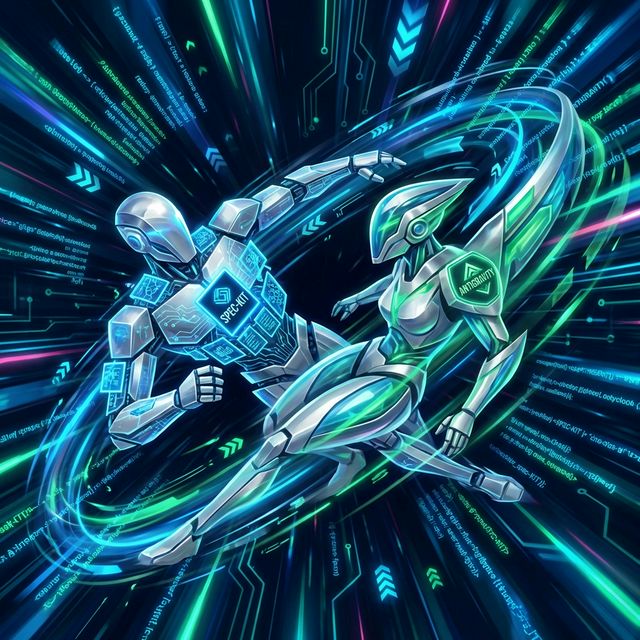
Based on extensive, rigorous testing across multiple platforms in high-velocity scenarios—where the cost of a hallucination or a broken dependency is measured in days of lost productivity—we have isolated the highest-performing autonomous engines.
1. Spec-Kit: The Topological Mastermind
Currently our top pick, **Spec-Kit** stands apart from generic LLM APIs. Spec-Kit demonstrates an unparalleled ability to ingest, grasp, and respect deep topological context fed by an MCP. While other agents rush to write code, Spec-Kit behaves like a cautious Principal Engineer.
It reads the topological map, validates its pathing through the dependency tree, and executes significant architectural changes with frightening deterministic precision. When asked to refactor a core routing module, Spec-Kit updates the test suites, modifies the frontend fetch calls, and alters the database schema files—all entirely aware of how those disparate components interact. It is the gold standard for orchestrators managing complex enterprise systems.
2. Antigravity: The High-Velocity Refactor Engine
A very close second, **Antigravity** brings immense, brute-force cognitive power to refactoring and rapid codebase generation. If Spec-Kit is the slow, deliberate architect, Antigravity is the hyperspeed execution engine.
Antigravity’s primary strength lies in its ability to parse vast amounts of code rapidly and generate expansive feature sets. When fully leveraging the tight constraints and rulesets provided by the UpperSpace MCP, Antigravity functions flawlessly. By strictly guiding Antigravity’s contextual awareness through the topological map, it effectively eliminates the standard "breaks off" coding errors that plague traditional, unconstrained GPT models. It is the perfect engine for rapid prototyping, translating Figma specs to full-stack code, and high-velocity iteration cycles.
Security, Vendor Lock-in, and the Enterprise Dilemma
Beyond developer ergonomics, the internet critiques of modern AI IDEs constantly circle back to a massive business concern: Code Exfiltration and Vendor Lock-in.
When you rely on a proprietary tool like GitHub Copilot (Microsoft) or Cursor, you are inherently tying your engineering velocity to their specific ecosystem. Every snippet of code, every proprietary algorithm, and every API key typed is theoretically passing through external servers. While enterprise agreements promise data privacy, the structural reliance creates immense anxiety for hyper-secure verticals like fintech, defense, and healthcare.
This is the hidden power of a decoupled MCP architecture. By utilizing an autonomous local client like UpperSpace 5D, enterprises can maintain absolute sovereign control over their codebase topology. The MCP essentially acts as a localized firewall, defining exactly what context is securely anonymized and transmitted to an agent like Spec-Kit, and verifying the returned code locally before execution. It removes the necessity of locking your developer workflow into a single, closed-source editor platform, offering both maximum velocity and absolute security.
The Cognitive Ascension: Rejecting "Skill Rust"
We must briefly return to the psychological critique found across dev forums: the fear that AI coding will make human developers lazy and unskilled. The "Skill Rust" argument assumes that typing syntax is the core skill of a software engineer.
High Velocity Engineering totally rejects this premise. When a developer utilizes UpperSpace 5D and connects to Spec-Kit via MCP, they are not devolving into a prompt-monkey. They are experiencing "Architectural Ascension."
Because the AI is handling the menial translation of logic into syntax, the human mind is entirely freed to focus on the 5th dimensional aspects of software: System design patterns, security surface areas, infrastructure scaling bottlenecks, and profound user experience (UX) flows. The AI handles the micro; the human masters the macro.
Conclusion: Escaping the Text-Editor Trap
The developer tools market in 2025 has fractured because the scale of generated code has far outpaced the tools designed to examine it. Cursor and Windsurf are brilliant, radical attempts to force AI into the 2D plane of a text editor window. GitHub Copilot is a legacy attempt to bolt intelligence onto a dying paradigm.
But the true solution to High Velocity Engineering does not lie in a better text editor. It lies in escaping the text editor entirely. It lies in visualizing codebase topology in 5D virtual reality, constraining elite agents like Spec-Kit and Antigravity via an omnipresent Model Context Protocol, and allowing the human mind to orchestrate entire ecosystems rather than type lines of text.
While agentic coding platforms evolve daily and internet debates rage on, relying on top-tier agents within an UpperSpace-guided environmental context is undeniably the most effective, deterministic way to eliminate "breaks off" coding, avoid vendor lock-in, and achieve genuine, flawless architectural velocity.