How Antigravity IDE with UpperSpace Transforms Software Quality Through Topology-Driven Memory

Software development is at an inflection point. While AI coding assistants have become ubiquitous — autocompleting lines, suggesting snippets, even generating entire functions — they all share a fundamental limitation: they don't truly understand your codebase. They operate on the file you have open, perhaps a few related files, but they remain blind to the deeper architectural fabric that holds your software together.
This is where Antigravity IDE, powered by UpperSpace and FastBuilder.AI's topology-driven architecture memory, fundamentally changes the game.
The Problem with Context-Blind AI
Traditional AI coding tools treat your codebase as a collection of independent text files. When you ask them to refactor a function, add a feature, or debug an issue, they work with a narrow window of context — usually the current file and perhaps a few imports. This leads to predictable failure modes:
- Breaking changes propagate silently. An AI modifies a shared interface without understanding which 47 components depend on it.
- Duplicate logic multiplies. Without visibility into existing utilities, AI generates redundant implementations that drift over time.
- Architectural violations compound. The AI doesn't know your data layer shouldn't call your presentation layer directly, so it creates shortcuts that erode your architecture.
- Integration bugs hide in the gaps. Changes that look correct in isolation break when components interact through event systems, shared state, or framework conventions.
The root cause is simple: these tools have no architectural memory. They can't see the topology of your software — the living mesh of relationships between components, data flows, access patterns, and event chains that define how your system actually works.
Topology-Driven Architecture Memory: A New Paradigm
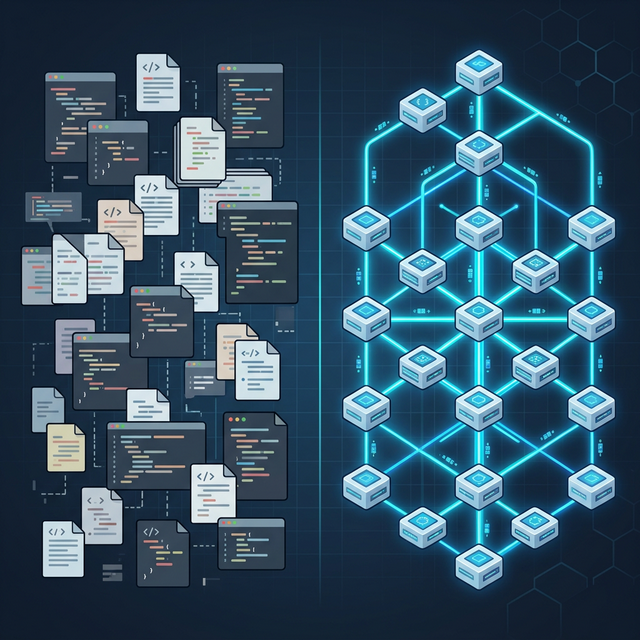
FastBuilder.AI introduced a fundamentally different approach to AI-assisted development. Instead of treating code as text, the UpperSpace platform constructs a living architectural topology — a multi-dimensional map of your entire codebase that captures six critical dimensions:
- Components — Independent units of your application, automatically identified through structural analysis and community detection algorithms.
- Blocks — Functional groups within components that serve common purposes, from authentication flows to data transformation pipelines.
- Functions — The atomic units of logic, mapped with their complete dependency graphs and call chains.
- Data — Information maps that track how data flows across every function and component boundary.
- Access — Security and permission rules that govern which functions can operate on which data under what conditions.
- Events — The complete event mesh, tracking both explicit triggers and implicit framework-mediated connections.
This isn't a static diagram generated once and forgotten. The topology is a continuously synchronized, living mesh that updates as your code changes. Every commit, every refactor, every new file — the architecture memory evolves in real-time.
How Antigravity IDE Leverages the Architecture Mesh
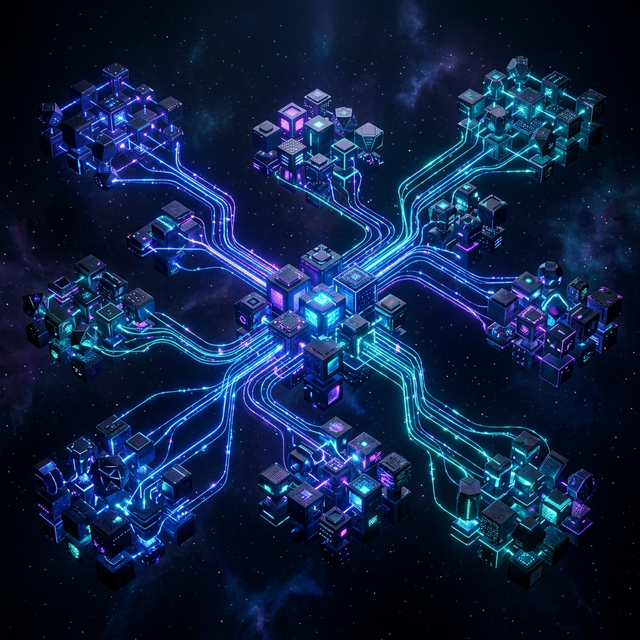
When you develop in Antigravity IDE with UpperSpace connected, every AI interaction is informed by the full architectural context of your project. Here's what this means in practice:
1. Architecture-Aware Code Generation
When you ask the AI to implement a new feature, it doesn't just generate syntactically correct code. It understands where in the architecture the code belongs, which existing components it should integrate with, and which patterns your codebase follows. The result: new code that fits naturally into your existing architecture, using established patterns, reusing existing utilities, and respecting component boundaries.
2. Impact-Aware Refactoring
Before the AI modifies a shared interface, it consults the topology to understand the full blast radius. It identifies every consumer, every data flow that passes through, every event that triggers downstream behavior. Refactoring suggestions come with complete impact analysis — no more surprise breakages in components you forgot existed.
3. Cross-Framework Intelligence
Modern applications span multiple frameworks and languages. A React frontend communicates with a Rust backend through API contracts. An HTML button triggers JavaScript handlers through class names and event bindings that aren't visible in import statements. UpperSpace's topology captures these implicit connections — the relationships that exist through framework conventions rather than explicit code references. The AI understands that changing a REST endpoint will affect the frontend component that calls it, even though they share no imports.
4. Intelligent Test Generation
When you need tests for a function, the AI doesn't just test the function in isolation. It understands the function's role in the broader system — what data flows through it, what components depend on its output, what edge cases arise from its position in the architecture. Generated tests cover integration boundaries, not just unit behavior.
5. Continuous Architecture Governance
The topology acts as an architectural guardrail. If the AI generates code that would violate established patterns — a data layer function calling a UI component, a circular dependency between modules, or an unauthorized data access path — the system flags it before it reaches your codebase. Architecture enforcement becomes automatic, not aspirational.
Real-World Impact: From Hours to Minutes
Development teams using Antigravity with UpperSpace report transformative improvements in their development workflow:
- 70% reduction in integration bugs — Because the AI understands cross-component relationships, changes are validated against the full architecture before they're written.
- 3x faster onboarding — New developers can ask the AI to explain any component's role, its data flows, its event connections, and its relationship to the broader system. The architecture mesh serves as living documentation.
- 50% fewer review cycles — AI-generated code that respects architectural patterns passes review faster because it follows established conventions by construction, not by chance.
- Near-zero architectural drift — With continuous topology monitoring, architectural violations are caught at creation time rather than discovered months later during a painful refactoring effort.
The UpperSpace Workflow
Getting started is straightforward. UpperSpace integrates directly with your project through a lightweight configuration:
- Connect your project to FastBuilder.AI and download the starter package.
- Install the Antigravity IDE extension (also compatible with VS Code).
- The topology builds automatically — UpperSpace analyzes your codebase, identifies components, maps data flows, and constructs the architecture mesh.
- Develop with full context — Every AI interaction now has access to your complete architectural memory.
The topology computation runs continuously in the background, synchronized through FastBuilder.AI's cloud infrastructure. Whether you're working solo or in a team of fifty, everyone shares the same architectural truth.
Beyond Code Completion: Building for Eternity
The future of software development isn't about writing code faster — it's about writing code better. Code that fits its architecture. Code that respects its boundaries. Code that integrates cleanly with existing systems. Code that can be maintained and evolved over years and decades.
Antigravity IDE with UpperSpace and FastBuilder.AI's topology-driven architecture memory represents this future. It's the difference between an AI that can autocomplete a line and an AI that understands your entire system — and helps you make it better with every change.
Ready to experience topology-driven development? Download Antigravity IDE and connect your first project to UpperSpace today.